
desktop_windowsDesktop app for Windows & Linux · no account needed to SSH
Run Linux with AI — commands only run on your machine
Diagnose over SSH. Local vault. Cloud keeps metadata, not keys.
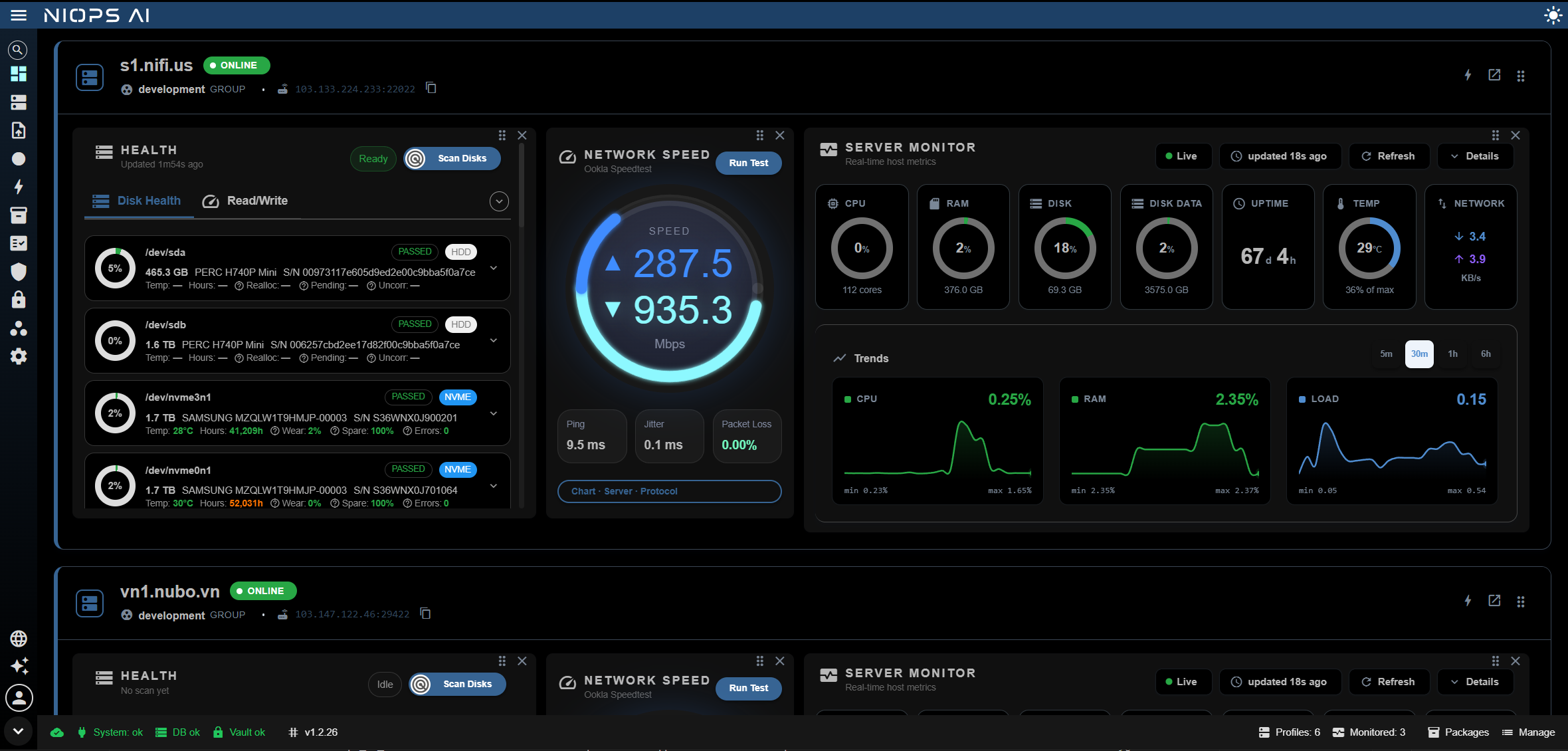
Dashboard: machine cards for the Active Workspace, widgets from packages installed on the profile.
Propose → gate → Linux host
- auto_awesome
AI proposes
The model diagnoses and drafts commands. It does not execute, and it does not open SSH to your machine.
- arrow_forward
verified_useryou approve
Desktop is the last gate
The app on your computer holds the keys, asks for approval on changing commands, then runs them.
- arrow_forwarddns
Your Linux host
The SSH session goes straight from Desktop to the server. Logs stay on your machine.
Enough to operate — not one extra tab
SSH on your machine
Host profiles, interactive PTY terminal, command bar with Commander hints.
- checkProfile CRUD + connection test
- checkImport from PuTTY, WinSCP, MobaXterm…
- checkConnect → Terminal from the Dashboard
AI diagnoses first
Three fixed steps: clarify the goal → investigate with evidence → propose a fix.
- checkInvestigate with read-only commands
- checkChanging commands usually need approval
- checkVerify again after the fix
Secrets stay on your machine
The local vault holds passwords, keys, passphrases. Secrets are never uploaded.
- checkLock / unlock the vault
- checkRecovery Package .enc per secret
- checkCloud keeps profile metadata only
Team + control
Local · My · Protected · Team. One Active Workspace at a time.
- checkWorkspace Security Policy is the safety ceiling
- checkTrusted devices, revocable
- checkApprove access, approve AI commands, audit
This is not web SSH
The backend does not open SSH to the client and does not store secrets. The web has an API but it does not replace Desktop for running commands — to run anything, the app on your machine must be open.
Read 5 security promisesarrow_forwardYou can read what the agent is thinking, doing, and citing
Every AI Ops session is an open timeline: each read command, the output, the conclusion, and why a fix is proposed. No black box — you approve because you see evidence, not because you trust the model.
Evidence travels with the conclusion
Every diagnosis points at the command and output that produced it. Click through to the original text.
Cost and time per step
Credits, command count, duration per step — know what the agent costs before you turn it on for the team.
Reports stay on the machine
The whole session is a readable local log — incident review without the cloud.
Build a whole stack across a fleet with one button
Record a real terminal session (F8) or write a command script, then replay it on many hosts after one risk confirmation. Mid-run prompts are answered automatically from the script.
- checkDo it once on a sample host — reuse it for the other 20
- checkPreview the command list and target hosts before you run
- checkPer-host results go into the local log
Extend it: install a package, write an add-on, or take one from the community
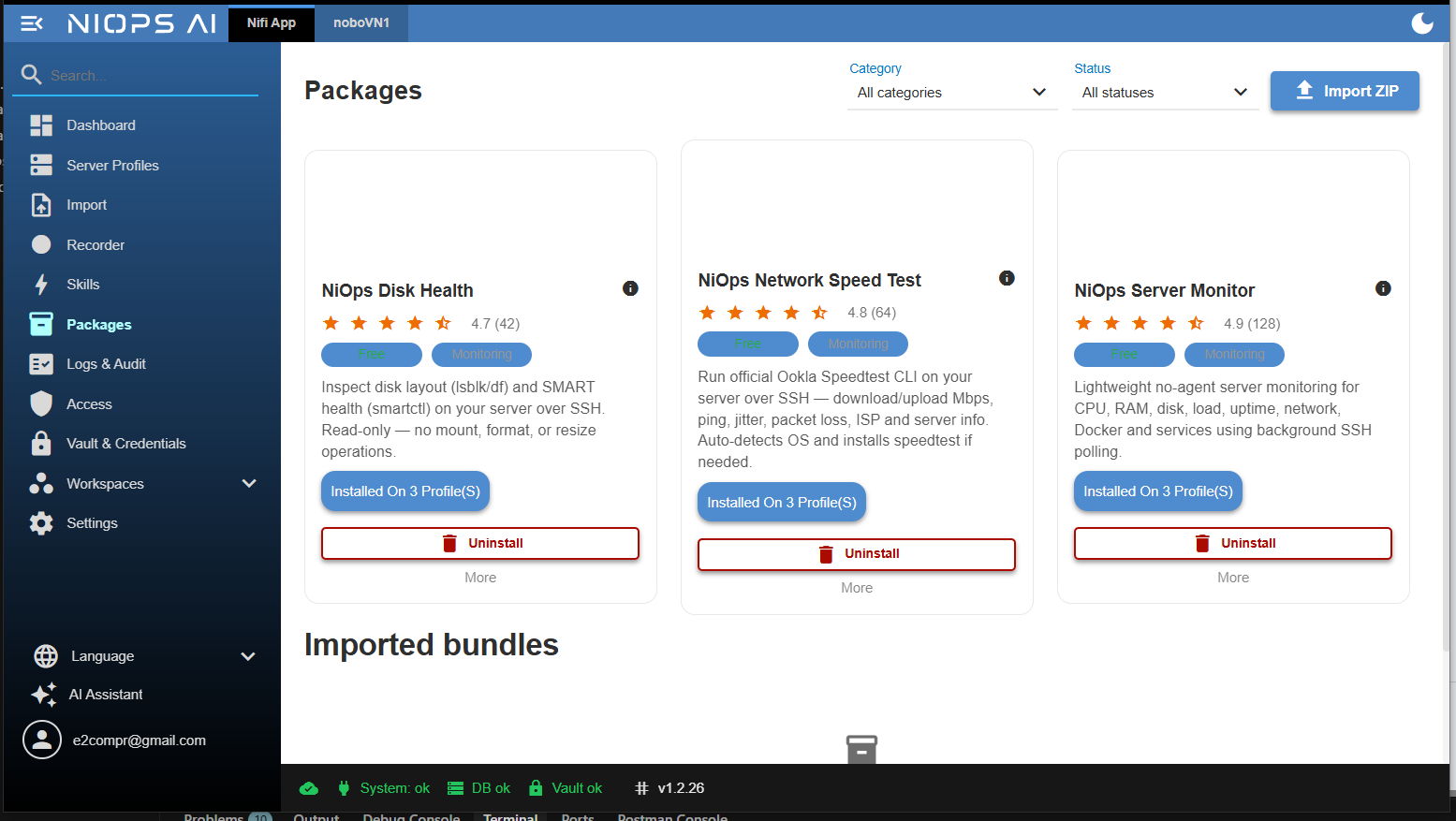
A package installs on a host profile and shows up as a Dashboard widget. Skills are Markdown packs that teach the agent your runbooks. Both import from files, so you can build internally or use a community pack.
Official packages
Server Monitor, Network Speed Test, Disk Health — installed over Desktop SSH, widgets on the Dashboard. Pro includes the NiOps package.
Skills you write
Pack an ops runbook as Markdown, install as ZIP. The agent runs the skill on the open PTY session and does not open its own SSH.
Community add-ons
Import someone else's bundle, see which commands it runs before you install. Share your package or skill back with the team.
Who can do what, on which host, who approves — all under a safety ceiling
policyWorkspace Security Policy
Workspace policy sets the maximum; grants per person or per machine cannot exceed it.
devicesTrusted devices, revocable
Each machine with the app is a registered device. Revoke it and every cloud action from that device stops.
fact_checkApprove access and AI commands
Access requests and AI commands that need approval share one Approvals inbox; who approved when is in the audit.
lockSecrets never leave the device
The local vault holds passwords, keys, passphrases. Cloud keeps metadata and redacted audit.
Still a server admin tool — with diagnosis and an approval gate added
Lined up against tools you may already use: PuTTY, Termius, Warp, Ansible, Teleport. Where NiOps is not there yet, we write coming soon.
| Job to be done | NiOps AIDesktop · AI + approval | PuTTYWindows SSH client | TermiusSynced SSH client | WarpTerminal with an agent | AnsibleConfiguration tool | TeleportAccess infrastructure |
|---|---|---|---|---|---|---|
| Interactive SSH terminal | Yes | Yes | Yes | Yes | Not the goal | Yes (via proxy) |
| AI proposes commands | 3-step agent: clarify → investigate → fix | No | Autocomplete hints; conversational agent in beta | Agent Mode understands natural language and self-heals | No | No |
| Where commands run | Your Desktop | Your machine | Your machine | Your machine (plus a cloud agent) | Control node pushes over SSH | Through Teleport's proxy |
| Where keys / passwords live | Vault on the machine, never uploaded | On the machine | Local vault; sync uses an end-to-end encrypted cloud vault | OS SSH keys | Ansible Vault / CI secrets | CA issues short-lived certificates |
| Run one playbook across a fleet | Recorder: record then replay, one button | No | Snippets on many hosts (paid) | Via agent / workflow | Its strength — but you write playbooks | Not its job |
| Approve before a changing command runs | On-machine gate + Approvals for the team | No | Confirm step in the agent (beta) | Approve each command before it runs | Review via Git/CI | Access Request approves access, not each command |
| Team access, approval, audit | Workspace + Security Policy + redacted audit | No | Shared vault per team, session logs | Team features | Via Git/CI or the commercial edition | Its strength — RBAC + session recording |
| Host widgets, no extra agent | Package widgets on the Dashboard | No | No | No | Needs a separate monitor | Not the goal |
| Administer from a browser | Admin web — except running SSH commands directly | No | No | No | Via the commercial web UI | Has a Web UI |
| File transfer / SFTP | Coming soon | Use bundled pscp / psftp | SFTP in the app | Normal terminal (scp/rsync) | copy/fetch modules | Yes |
Download Desktop and SSH now
Local Mode runs with no account: import existing SSH sessions, open a terminal, use the vault and recorder. Sign in only when you need metadata sync, access, or cloud audit.
No, not to SSH. Access, cloud audit and sync need a sign-in.
No. Sync pushes profile metadata; secrets stay in the vault on your machine.
A workspace type stricter than My: sensitive actions need a grant or approval.